

Near-Far Ocular Accommodation Trainer
Digital Online Eye Fatigue Relief & Ciliary Muscle Relaxation Program V1.0
1. Product Overview
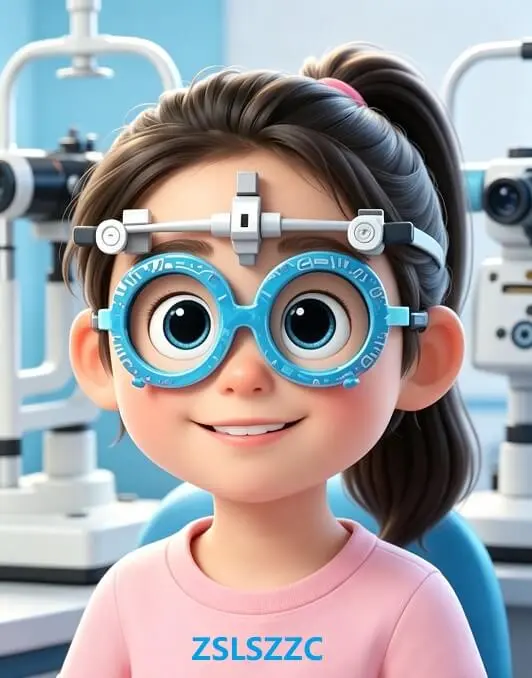
The Near-Far Ocular Accommodation Trainer is an online visual training tool independently developed based on standard ophthalmic near-far vision principles. It targets sustained ciliary muscle tension and reduced accommodation sensitivity among heavy digital screen users.
When staring at screens for extended periods, the ciliary muscle stays continuously contracted, which may lead to accommodation spasm, eye soreness, dry eyes, slow focus switching between near and far distances, and persistent visual fatigue. This tool features a moving target ball travelling forward and backward along an in-depth path. Users follow the ball to switch focus alternately between near and far, prompting regular contraction and relaxation of the ciliary muscle. It activates the eye accommodation system, boosts periocular blood circulation and relieves stiff ciliary muscles. Standard training can be conveniently carried out at home or during office breaks.
2. Core Features
2.1 Near-Far Visual Target for Ocular Accommodation Training
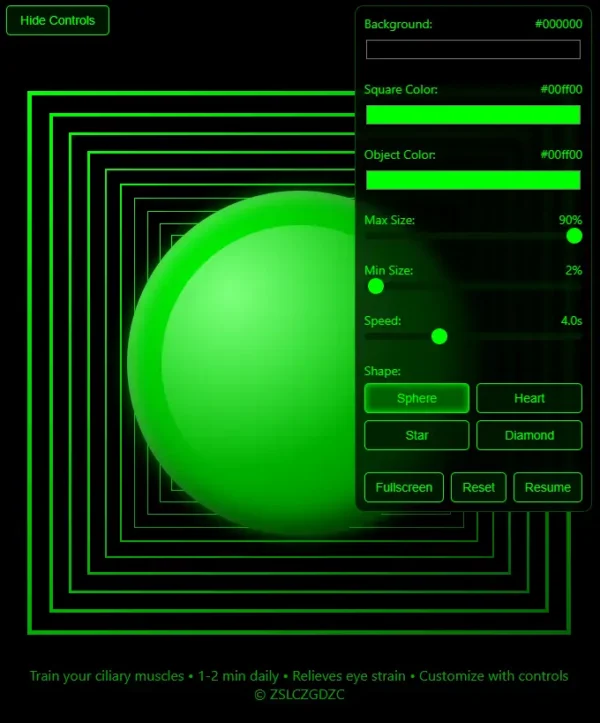
Following the classic near-far accommodation training model, the target ball moves continuously along a longitudinal path. Users track the ball to complete full cycles of near focusing and far relaxation. This practice strengthens the elasticity of the ciliary muscle, improves slow focusing ability, and eases visual fatigue caused by prolonged close-range viewing.
Difference reminder: The figure-eight trainer focuses on extraocular muscles and eye tracking. This Near-Far Ocular Accommodation Trainer concentrates on the ciliary muscle and eye accommodation. The two training tools complement each other.
2.2 Stepless Adjustable Motion Speed
Equipped with a precise speed slider supporting multiple motion rates. Low speed delivers gentle relaxation for severe eye fatigue; medium and high speeds improve ciliary muscle flexibility. Users may adjust the speed gradually according to personal eye condition and training progress.
2.3 Customizable Visual Interface
Three visual parameters can be adjusted independently: target ball color, background color and trajectory line color. Custom color schemes avoid secondary visual irritation caused by harsh high-contrast colors, reduce distractions during training and enhance long-term viewing comfort and concentration.
2.4 Full-Screen Immersive Training Mode
One-click full-screen mode blocks pop-ups and notifications. It creates a stable visual training environment, helps users keep tracking the moving target steadily, standardizes training movements and ensures reliable training effects.
2.5 One-Click Parameter Reset
Restore all speed and color settings to default with a single click. It supports repeated training and multi-user sharing without tedious manual configuration.
3. Standard User Guide
No professional ophthalmic skills required. Follow these steps for optimal results:
Posture Preparation: Open the tool, sit upright and look naturally toward the screen centre. Keep your head still and follow the moving ball only with your eyes.
Speed Setting: Beginners and users with heavy eye fatigue should start with low speed. Increase speed gradually as your eyes adapt.
Visual Customization: Adjust ball color and background color and select soft color combinations to prevent visual irritation.
Recommended Training Schedule: 2 to 3 sessions per day, 1 to 2 minutes per session. Consistent training helps relieve ciliary muscle tension and improve fatigue and slow focus transition.
4. Target Users
Groups with heavy daily eye usage and demands for regular eye relaxation:
Office workers and students spending long hours on computers and mobile devices;
Screen users suffering from eye soreness, dryness, heavy eyes or slow focus switching;
People wishing to maintain ciliary muscle elasticity and visual comfort through regular training;
Healthy users without confirmed eye diseases who need daily eye relaxation and accommodation exercises.
Office workers and students spending long hours on computers and mobile devices;
Screen users suffering from eye soreness, dryness, heavy eyes or slow focus switching;
People wishing to maintain ciliary muscle elasticity and visual comfort through regular training;
Healthy users without confirmed eye diseases who need daily eye relaxation and accommodation exercises.
5. Safety Precautions
Stop training immediately and rest your eyes if you feel eye pain, dizziness, nausea or blurred vision. Do not force yourself to continue training.
This tool is only an auxiliary daily visual training solution. It cannot replace professional ophthalmic examinations, medical diagnosis or clinical treatment.
Users with myopia, hyperopia, astigmatism and other refractive errors are recommended to wear properly fitted corrective glasses during training for better comfort and training effects.
6. Important Product Statement
This is a fully digital online eye training service. No physical goods or physical delivery are provided.
The Near-Far Ocular Accommodation Trainer is designed solely for daily eye relaxation and ciliary muscle training. It does not offer medical diagnosis, eye disease treatment or vision correction services. Please visit a qualified medical institution for professional examination if you have persistent eye discomfort or abnormal vision.

James (verified owner) –
Surprisingly useful. Stepless speed control lets me tailor the intensity. Easy to use, no downloads. A practical helper for tired eyes.
Susan (verified owner) –
Game changer for my zoom-fatigue! The reciprocal ball feels like a mini massage for my eyes. I’ve already used it 15 times in 3 days—totally hooked.
Davidgg1985 (verified owner) –
Stepless speed adjustment is a lifesaver. I start slow and gradually increase as my eyes get stronger.
xingqiyi (verified owner) –
Elegant, minimal, and genuinely helpful. The full-screen mode blocks out distractions while I train.