Online eye training to relieve digital eye strain is essential for anyone spending long hours working on computers and scrolling through mobile phones. Many of us experience sore, dry eyes, heavy vision, and slow focus switching between near and distant objects — these are typical symptoms of digital eye strain.According to the American Optometric Association, prolonged near screen work is a major cause of digital eye strain. American Optometric Association
Most people simply close their eyes to rest without realizing our eyes rely on two key muscle groups: the ciliary muscles and the extraocular muscles. Resting alone cannot fully relieve tension in both muscle groups. Today we introduce two complementary online eye training tools that target different eye muscles, delivering comprehensive eye relaxation when used together.
How Online Eye Training Helps to Relieve Digital Eye Strain
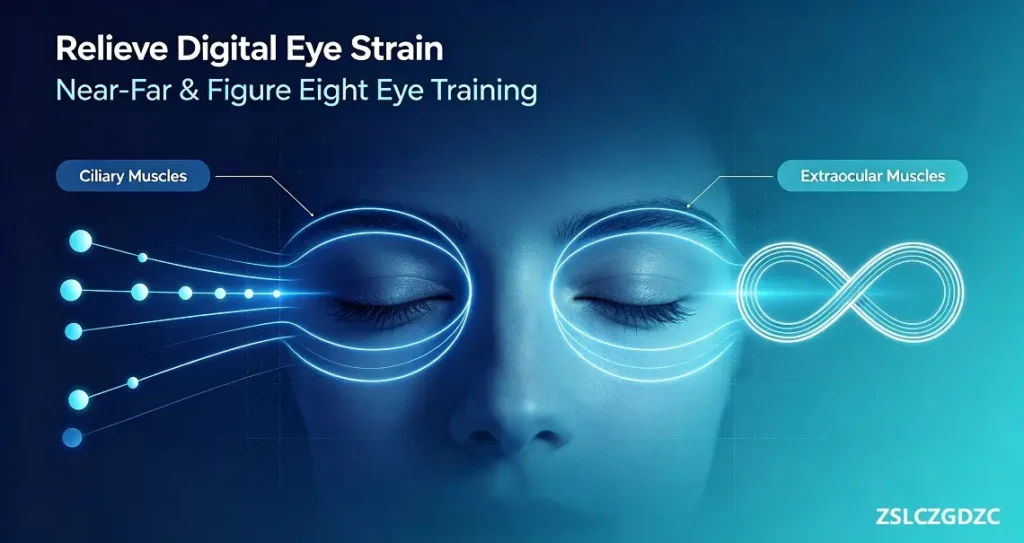
1. Near-Far Ocular Accommodation Trainer
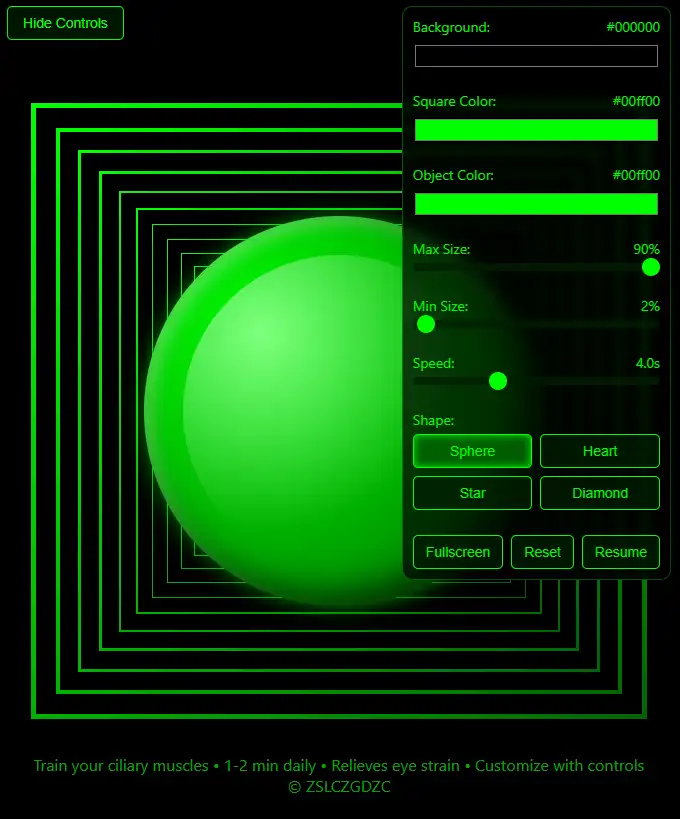
The Near-Far Ocular Accommodation Trainer mainly works on your ciliary muscles.
Ciliary muscles control the eye’s focusing ability. When you focus on nearby screens for extended periods, the ciliary muscles stay continuously contracted. Over time, they lose elasticity, leading to slow accommodation, delayed focusing, and persistent eye fatigue — a common cause of blurred vision when switching between near and far scenes.
Built on professional optometric near-far alternating training principles, this tool features a dynamic dot moving repeatedly from near to far along an in-depth trajectory. Follow the target with your eyes to cycle between near focusing and distant relaxation. This encourages the ciliary muscles to contract and relax rhythmically, improves accommodation flexibility, eases chronic tightness, and reduces eye fatigue caused by prolonged close work.
It supports stepless speed adjustment, custom colour settings, one-click parameter reset, and full-screen immersive training. Beginners can start at low speed for gentle practice and gradually increase intensity as eyes adapt.
2. ∞ Figure Eight・Ocular Muscle Trainer
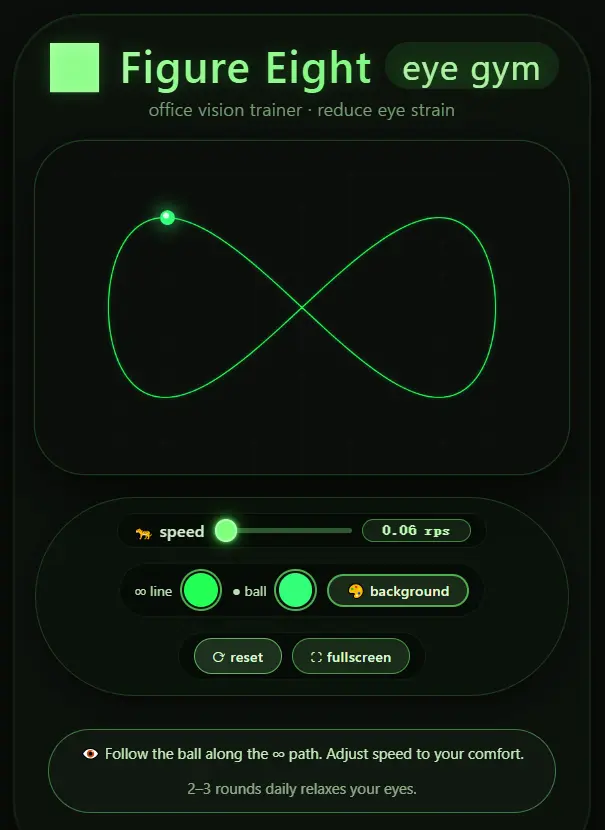
The ∞ Figure Eight Ocular Muscle Trainer focuses on exercising the extraocular muscles.
Extraocular muscles control all horizontal, vertical and rotational eye movements. Staring fixedly at screens limits eye movement within a narrow range, leaving extraocular muscles stiff and tense, which causes heavy, aching eyes.
This tool uses an infinity ∞ shaped track. A smooth moving marker travels along the figure-eight path. Keep your head still and follow the target with your eyes. Your eyeballs rotate fully in all directions to stretch tight extraocular muscles and restore eye mobility.
You can adjust movement speed and interface colours, and activate full-screen mode to eliminate distractions. No downloads required — open it directly in your browser for a quick eye workout during work breaks.
3. Use the Two Trainers Together for a Complete Eye Care Solution
Most eye exercise tools only train eye rotation or accommodation separately and cannot cover all ocular muscle groups. These two tools perfectly complement each other, targeting the eye’s deep accommodation system and superficial movement muscles respectively for holistic relief.
- ✅ Near-Far Ocular Accommodation Trainer: Relaxes ciliary muscles, reduces focusing stiffness, relieves deep eye strain and slow focus adjustment
- ✅ ∞ Figure Eight・Ocular Muscle Trainer: Activates extraocular muscles, improves eyeball flexibility, alleviates heavy eyes and restricted eye movement
Eye strain usually develops in this order: the ciliary muscles tighten first, followed by stiffness in extraocular muscles. Therefore, your training sequence directly affects the relaxation effect.
Recommended Scientific Training Sequence
When your eyes feel sore, dry, heavy, or struggle to shift focus after working or studying:
Start with the Near-Far Ocular Accommodation Trainer to release ciliary muscle tension and accommodation spasm caused by close-range screen use, restore natural focusing ability and ease deep-seated eye fatigue.
Continue with the ∞ Figure Eight・Ocular Muscle Trainer to rotate your eyes in multiple directions, stretch stiff extraocular muscles and reduce surface-level eye soreness and heaviness.
This inside-out approach prioritises accommodation training before eye movement exercises. It follows the natural recovery pattern of strained eye muscles and delivers better results than using one tool alone or reversing the order.
Practising this online eye training to relieve digital eye strain for just a few minutes each work break can gradually improve your eye muscle flexibility and reduce recurring screen fatigue.
4. Who Can Benefit from These Training Tools?
This online eye training to relieve digital eye strain is simple and browser-based, with no software download required.
- Office workers and students who use computers and smartphones for long stretches
- Screen users who frequently suffer from dry, sore or heavy eyes
- People with slow focus switching troubled by digital eye strain
- Anyone aiming to maintain comfortable vision with regular daily eye relaxation
Disclaimer: These two tools serve as auxiliary online eye care solutions for relieving eye fatigue only. They are NOT medical devices and cannot replace professional eye examinations, diagnosis or clinical treatment. Stop training immediately and rest your eyes if you experience eye pain, dizziness, blurry vision or discomfort during practice.