
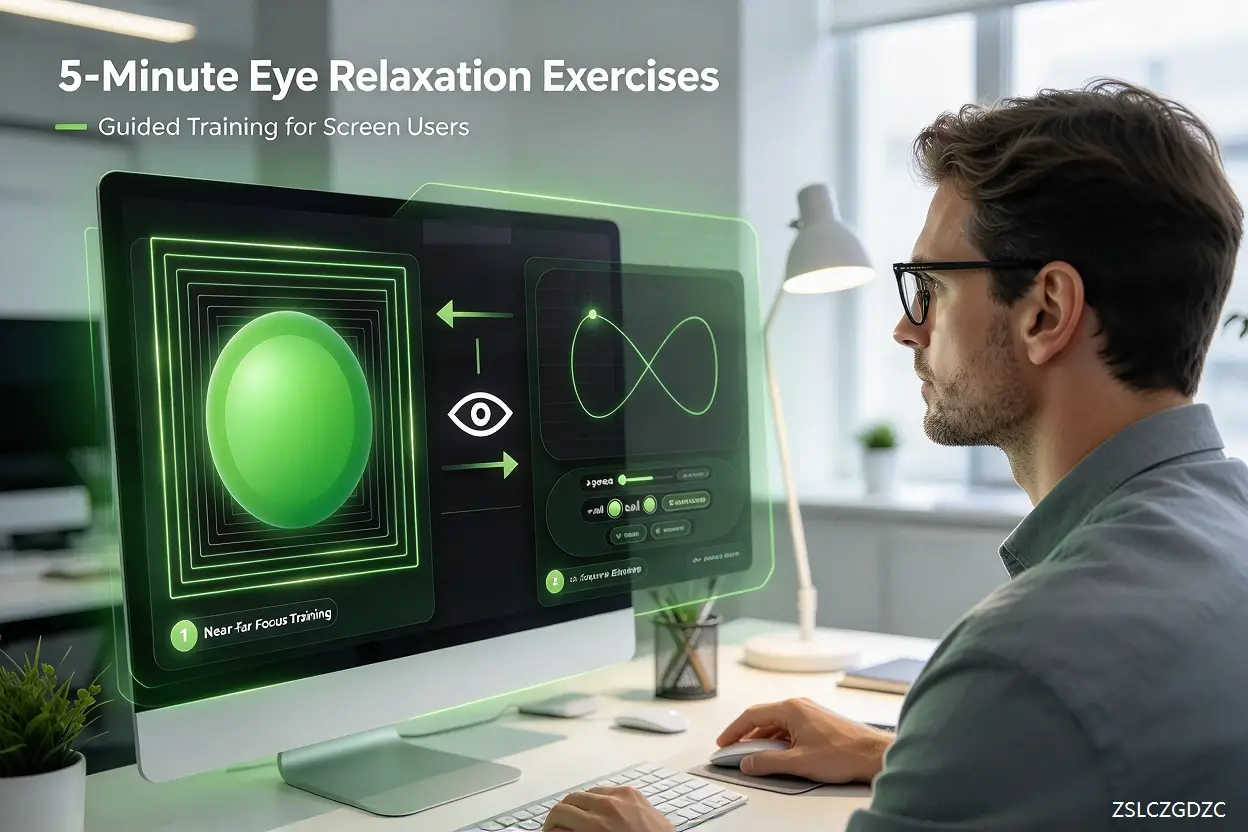
Eye relaxation exercises help relieve discomfort for millions of people who spend 6, 8 or more hours each day glued to digital screens: remote workers on laptops, students scrolling tablets, creators editing displays, and anyone constantly switching between phones and monitors. This modern daily routine creates a static visual habit: our eyes lock onto near-distance targets for hours, with very little natural shift between close and far focus. Over time, this sustained fixation often leads to tired, heavy eyes, dryness, mild blurriness after long screen sessions, and forehead tension commonly known as digital eye strain or computer vision syndrome (CVS).
Many people have heard of the 20-20-20 rule: every 20 minutes, look at something at least 20 feet away for 20 seconds. While this rule remains a trusted baseline, it is easy to forget amid busy workflows. Simple eye relaxation exercises can complement this habit, encouraging the ciliary muscle and extraocular muscles to release tension and restore natural flexibility. It is critical to clarify one key point upfront: gentle eye relaxation exercises cannot change your prescription, cure myopia, reverse presbyopia or treat eye disease. They are designed only to ease temporary symptomatic discomfort from prolonged near work, as a supportive wellness routine rather than medical treatment. The 20-20-20 rule is promoted by the American Academy of Ophthalmology to reduce digital eye strain.
Table of Contents
The Modern Screen Habit That Causes Digital Eye Strain
Most office, school and leisure visual work today happens within arm’s reach. Unlike natural outdoor vision, where our gaze constantly shifts between near objects and distant scenery, screen work holds our focus at a fixed short range for hours on end. The ciliary muscle stays contracted for long periods, which can build up cumulative tension. This is why even people with perfect vision often end the day with sore, fatigued eyes. Eye relaxation exercises aim to interrupt that static focusing state, rather than deliver permanent vision changes.
Why Traditional Eye Relaxation Exercises Have Limitations
Traditional hand-guided exercises have long been recommended by optometry professionals. Near-far focus shifting asks you to alternate your gaze between a close object and a distant point repeatedly, helping the focusing system toggle smoothly. Figure-eight tracing invites you to track an infinity-shaped path slowly without moving your head, building comfortable, smooth eye pursuit movement. But doing these exercises manually has clear limits: it is hard to keep consistent pacing, easy to rush through sessions, and simple to lose focus halfway through. This is where structured web-based visual training tools add practical value for daily users.
Near-Far Ocular Accommodation Trainer: Structured Focus-Shifting Practice
Our Near-Far Ocular Accommodation Trainer is built to standardise the near-far focus shift exercise inside your browser. Instead of guessing timing or distances, the guided web interface presents sequential visual targets, prompting your eyes to alternate between simulated near and far focus at a steady, gentle rhythm. The pacing follows widely accepted relaxation protocols used in home vision therapy practice, encouraging your ciliary muscle to cycle between contraction and release.
For screen users stuck in a fixed near-focus state all day, this guided routine removes the guesswork. It serves as a structured, repeatable practice you can open during scheduled screen breaks, turning the abstract 20-20-20 rule into an active, focused relaxation drill. It does not strengthen eyesight, but it gives your focusing muscles a predictable break from the static near workload of digital work.
∞ Figure Eight・Ocular Muscle Trainer: Smooth Pursuit Eye Tracking Training
Our second web tool, ∞ Figure Eight・Ocular Muscle Trainer, is a digital version of the classic figure-eight eye tracking exercise. In manual practice, you imagine an infinity symbol on a wall and trace it with your eyes; our online tool renders the shape as a slow, smooth moving target. You keep your head still and follow the path only with eye movement. This targets the extraocular muscles responsible for smooth pursuit, the ability to follow moving objects steadily.
Long screen work often reduces natural eye movement, keeping gaze fixed on static text and icons. Regular, slow tracking practice may help reduce the feeling of stiff, heavy eyes after hours of static viewing. Like all our routines, it is low-intensity and designed for relaxation, not aggressive training. You can adjust speed to match your comfort level and pause anytime if you feel dizziness or discomfort.
Best Practices for Consistent, Gentle Eye Relaxation
The best results come from consistency rather than long, occasional sessions. Most users benefit from 1–3 short sessions of 1–3 minutes each, inserted naturally between work blocks, instead of one long exercise at the end of a draining workday. Pairing these guided drills with intentional blinking, good ambient lighting, and appropriate screen distance creates a kinder visual environment for your eyes.

Frequently Asked Questions
Please see the FAQ section below for common questions about these eye relaxation exercises and our web training tools.
Can these eye relaxation exercises fix blurry vision?
No. These exercises support temporary muscle relaxation and may ease strain-related blurriness that fades after rest. They cannot correct permanent refractive errors such as nearsightedness, farsightedness or astigmatism. Sudden, persistent blurred vision requires professional eye examination.
Who should avoid these visual training tools?
Stop immediately if you experience eye pain, double vision, dizziness or nausea. If you have active eye infection, recent eye surgery, uncontrolled binocular vision disorders or other diagnosed eye conditions, check with your eye care provider before starting any visual exercise routine.
Do I need special hardware to use these web tools?
No. Both the Near-Far Accommodation Trainer and Figure Eight trainer run in standard desktop or laptop browsers, with no downloads, plugins or dedicated hardware required.
Disclaimer: This content is for educational and wellness use only and is not a substitute for professional eye care advice, diagnosis or treatment.